
Nowadays, eSIMs are being used much more than physical SIM cards. You don’t need to insert any physical chip or card inside your mobile phone to use an eSIM, as it is installed entirely through software. However, users sometimes run into the “eSIM Network Not Available” error.
There can be many reasons behind this issue. Today, we will share simple solutions to help you fix the eSIM network not available or Service Not Available error on your phone.
Primary Causes of eSIM Network Not Available Errors
Incomplete or Delayed eSIM Activation
Whenever you activate an eSIM by scanning its code, it needs some time to complete the setup. Since the SIM activates through software, a slow internet connection can delay or interrupt the process.
Incorrect APN (Access Point Name) Configurations
Yes, your phone’s APN settings could also be wrong. Proper configuration of this setting is necessary for data services and mobile connectivity to work correctly.
Basic Network Issues Troubleshooting Steps for Quick Recovery
If your mobile phone suddenly loses signal, there is no need to worry. You can easily fix the eSIM Network Not Available issue by following these simple steps.
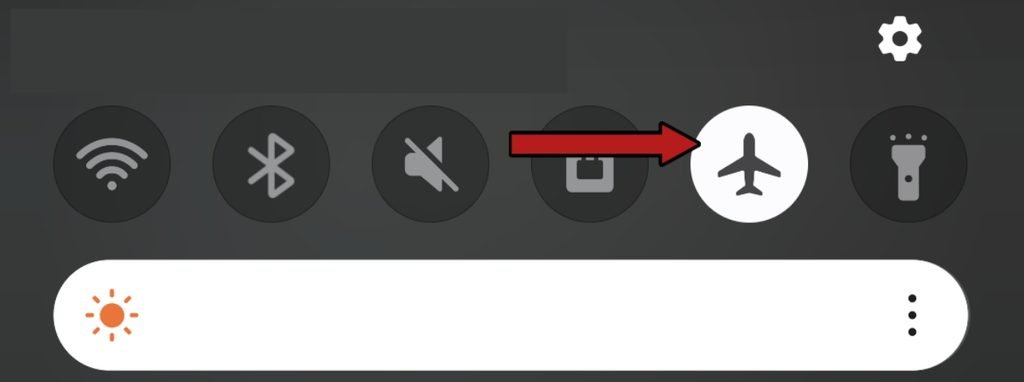
Toggle Airplane Mode
Turn on Airplane mode. You can enable this option from your phone’s Quick Panel or Settings menu. Wait a few seconds, then turn Airplane mode off. Doing this forces your phone to search for the nearest available network, which should hopefully restore your service.
Restart Your Phone When eSIM Network Is Not Available
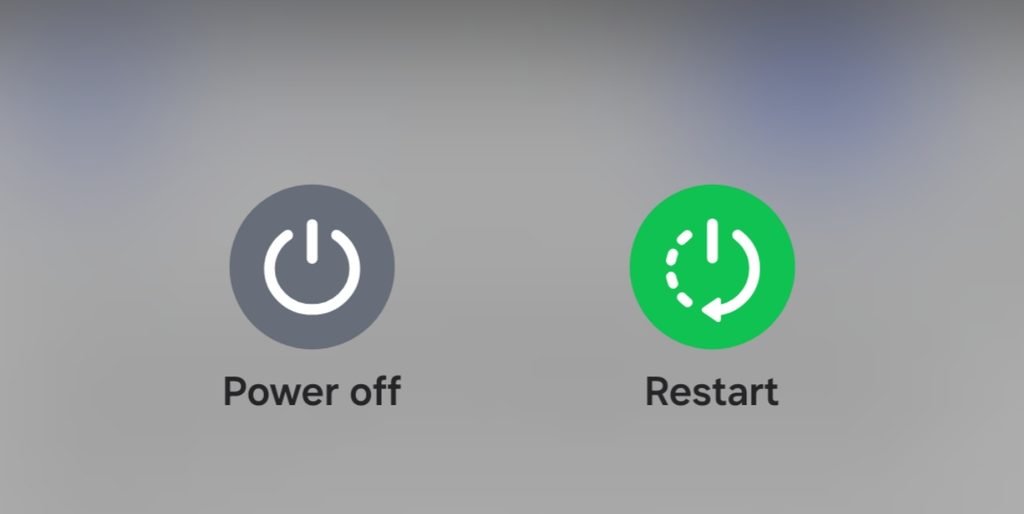
If the eSIM network not available error persists after trying the first step, restart your mobile phone.
Background processes and files running on your device can sometimes cause temporary glitches and slow down your network connection. Restarting your phone clears out these temporary files.
Advanced Technical Solutions for Network Restart
If the basic steps didn’t fix the issue, here are some advanced troubleshooting methods to resolve it completely.
Enable Data Roaming Option for eSIM Network
If you are using a travel eSIM (such as Airalo, Holafly, or Nomad), these services will not work without roaming enabled, as they are specifically designed for travel.
Your missing network signal could be due to this setting. Go to your phone’s settings and turn on Data Roaming.
Update Access Point Name (APN) Settings
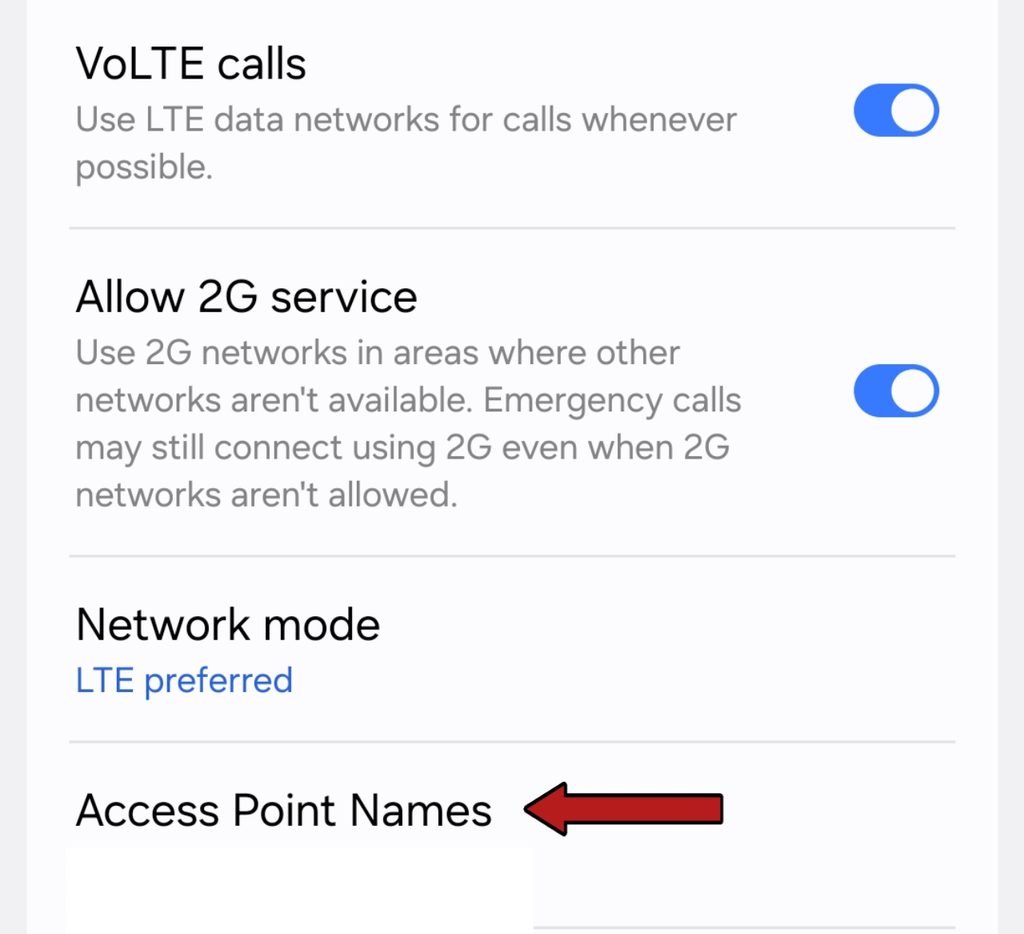
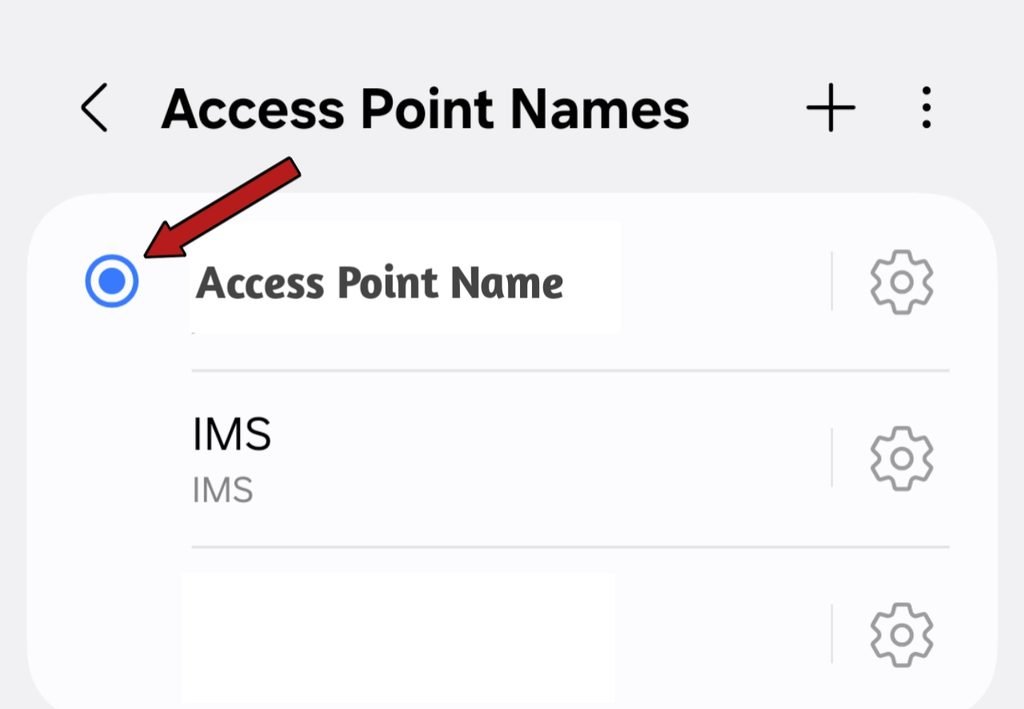
Entering incorrect APN details can cause your network to slow down or disconnect entirely. Check the APN details provided by your eSIM provider and configure them in your settings.
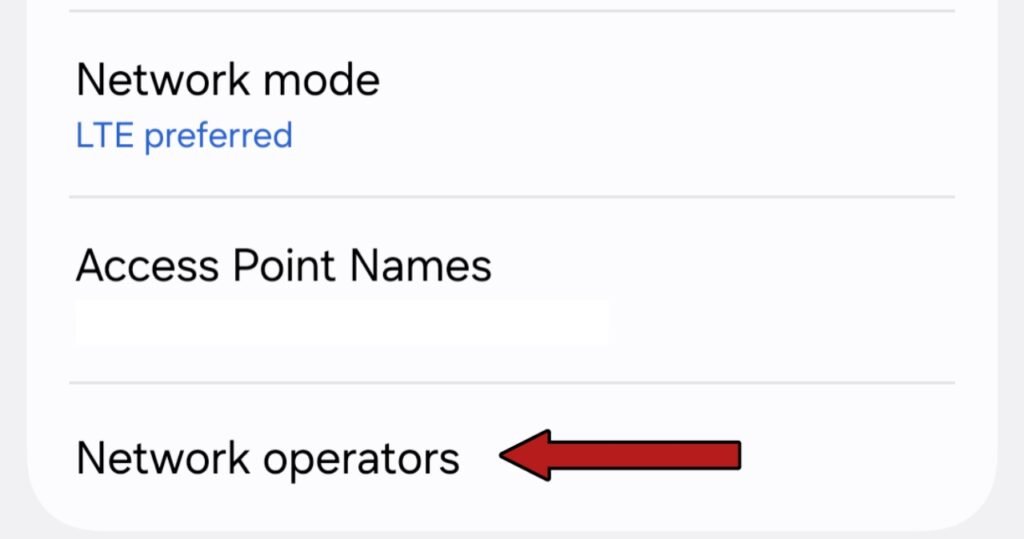
- Android: Settings > Network & Internet > Mobile Network > Access Point Names > Add New APN
- iPhone: Settings > Cellular > Cellular Data Network
- STEP 2
Switch to Manual eSIM Network Selection
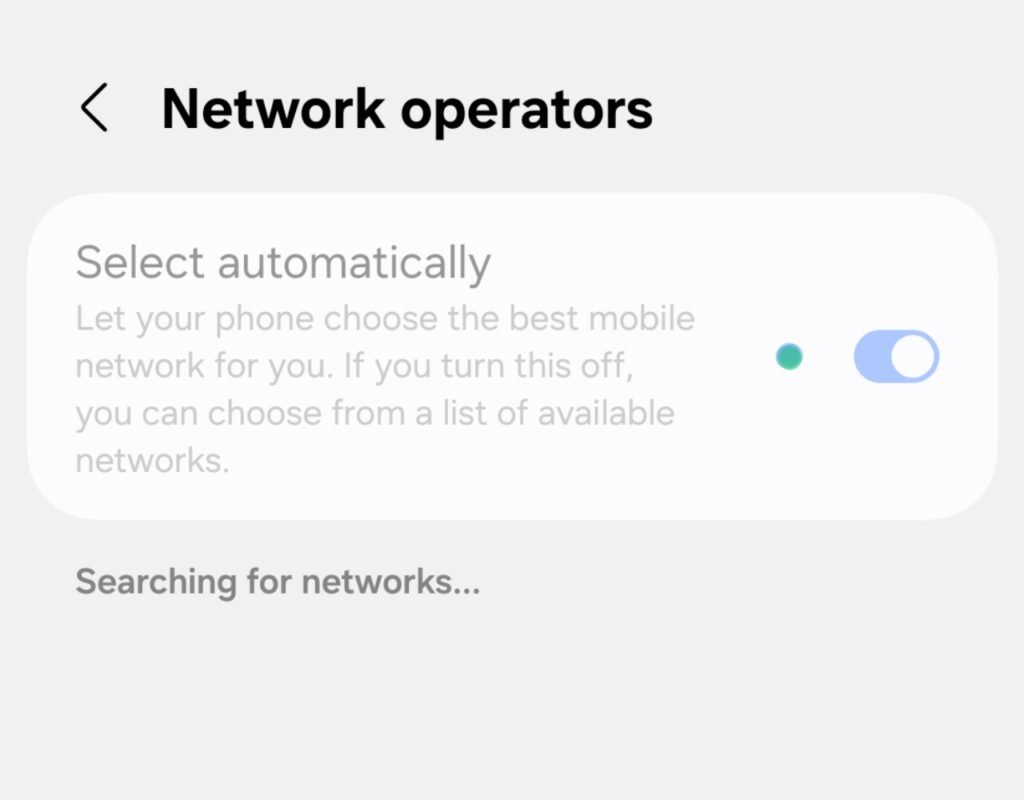
- Go to Settings > Mobile Networks > Network Operators.
- Turn off (disable) the Select Automatically option.
- Your phone will search for available networks for a few moments. Once the list appears, tap on your specific network provider.
- STEP 2
Reset Network Settings
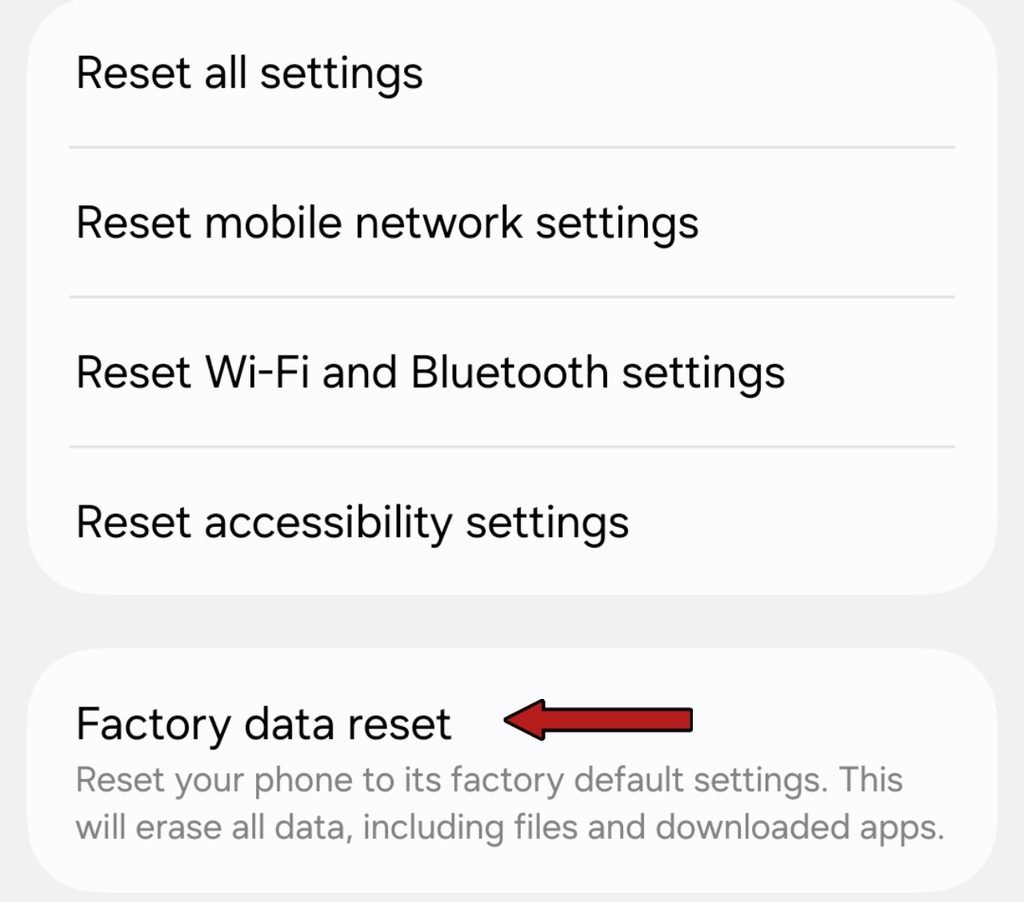
- On Android: Settings > System > Reset Options > Reset Wi-Fi, Mobile & Bluetooth
- On iPhone: Settings > General > Transfer or Reset iPhone > Reset > Reset Network Settings
This restores all network settings on your phone including Wi-Fi and Bluetooth back to their original factory defaults.
Remove and Reinstall the eSIM Network Profile
Network interruptions during the initial setup can cause the activation process to fail or freeze.
First, connect your phone to a stable Wi-Fi network. Then, go to your network settings, delete the old eSIM profile, and scan your eSIM QR code again to reinstall and activate it.
When to Contact Carrier for eSIM Network Not Available Issue
If the eSIM Network Not Available error persists even after following all the steps mentioned above, the issue lies with your network carrier rather than your phone.
The eSIM network not available error is usually a minor, temporary glitch. However, if these steps do not fix it, you will need to contact your carrier’s customer support for further assistance.