
How to Find My FB Profile URL on Mobile App (Android & iPhone)
Finding your Facebook profile URL is very easy, whether you are using a mobile phone or a laptop. this complete guide shows you how to find my FB profile URL in just a few taps.
- Open Facebook.
- Go to your profile.
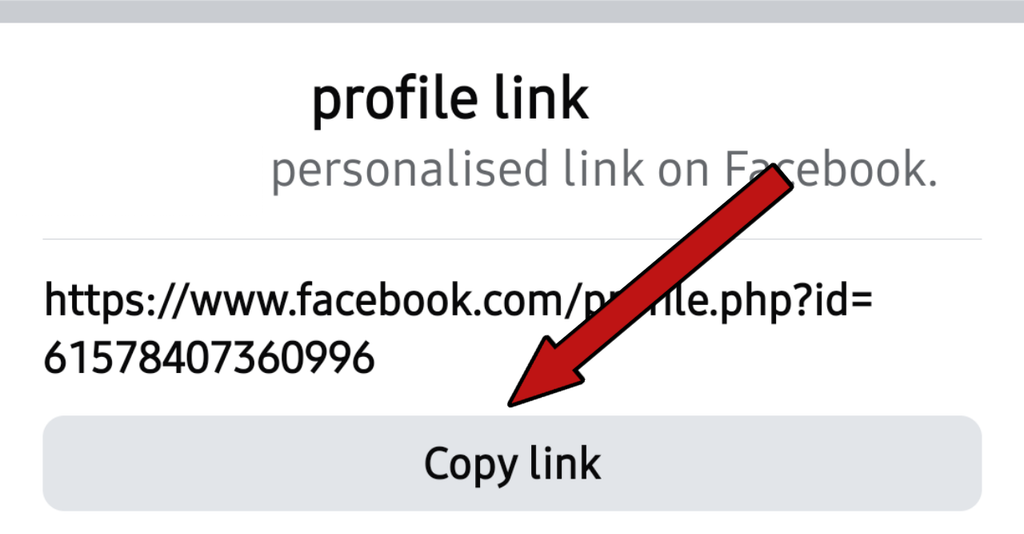
- Tap the 3 dots on the right side.
- Scroll all the way down.
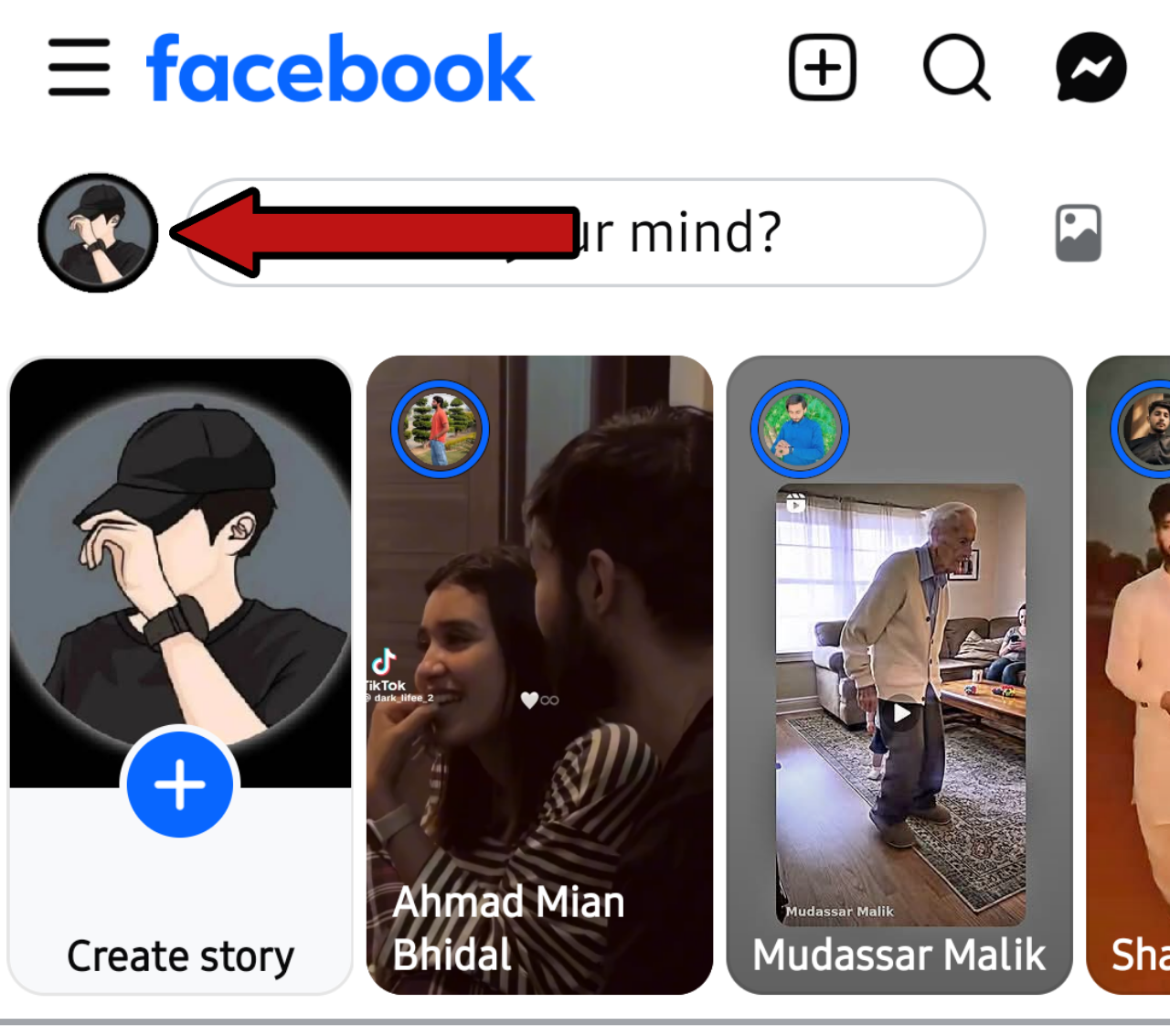
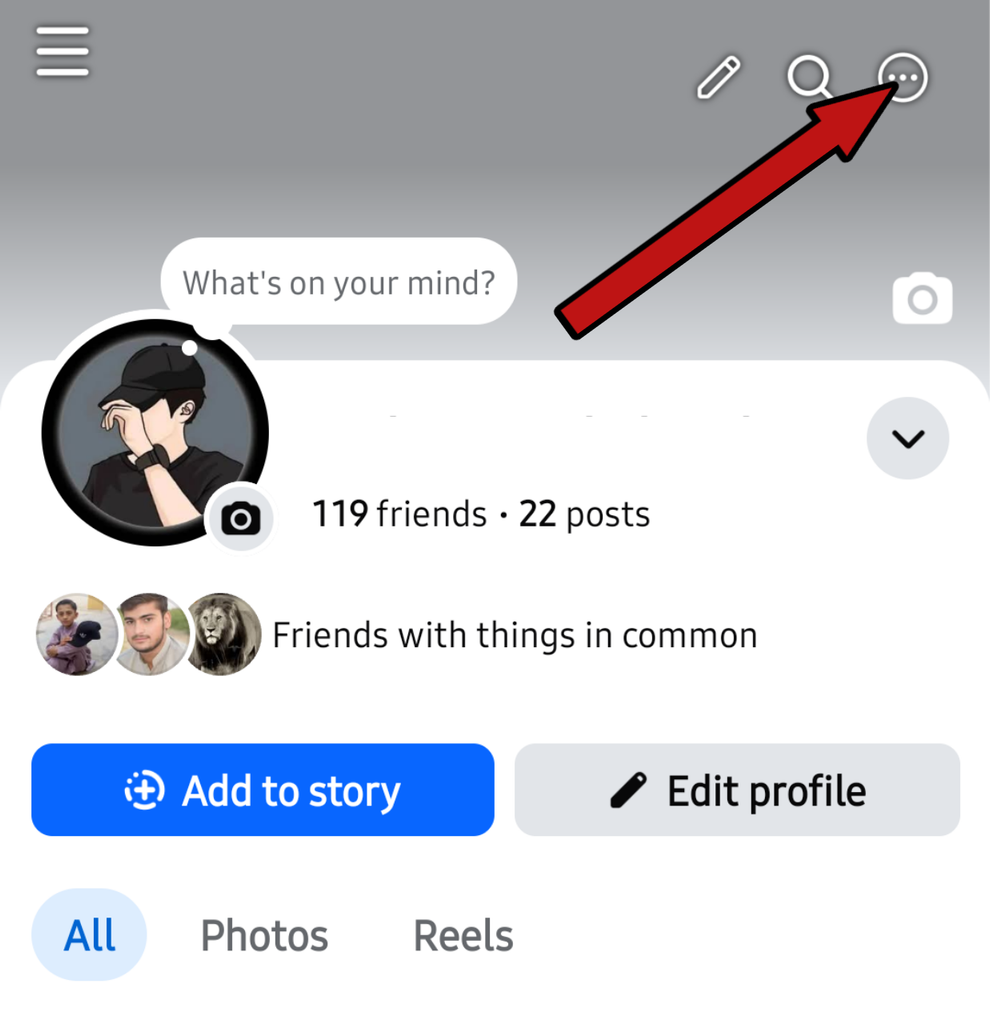
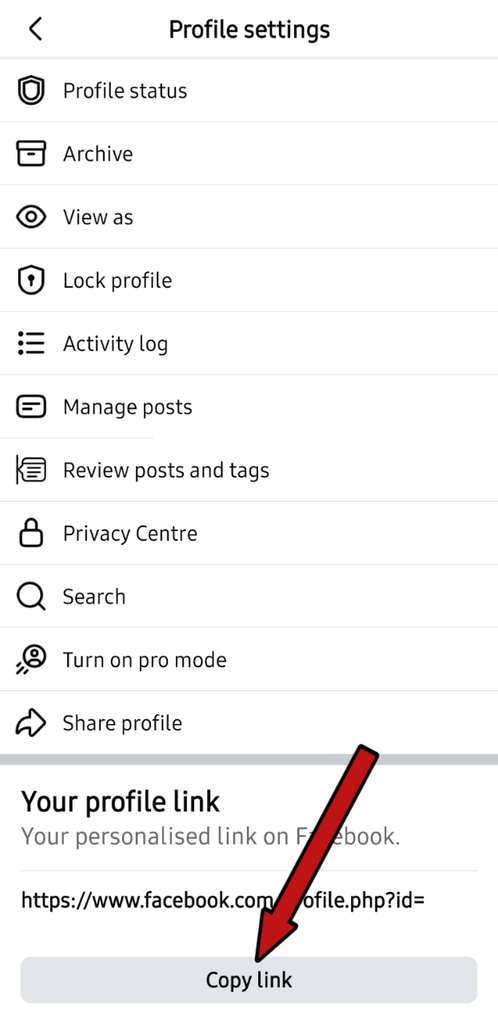
This is your Facebook profile URL. Copy it and share it wherever you want.
How to Find My FB Profile URL on PC And Laptop
This is extremely easy on a laptop, computer, or web browser. Go to your browser or laptop and open Facebook.
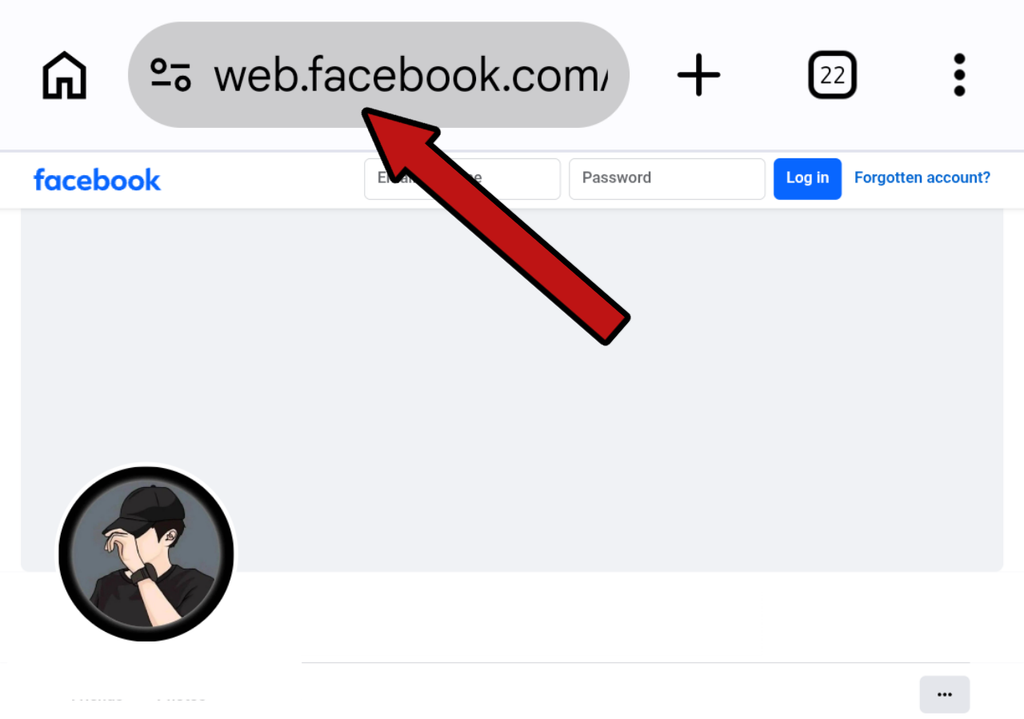
- Click on your profile.
- Look at the bar at the very top.
- Click on that bar and copy the address.This is your Facebook profile URL.
How to Find a Friend’s Profile URL
Many people struggle with finding a friend’s profile URL on Facebook. Let’s look at this method too, as it is also very simple.
- First, open Facebook.
- Tap the profile picture of the friend whose profile URL you want to find.
- Now, go to the 3 dots on the right side, and at the very bottom, you will find your friend’s profile URL.
- Copy this URL and easily share it wherever you need to.
How to Find a Friend’s Profile URL On Web Browser
If you are using a PC or web browser, you can also easily copy your friend’s Facebook profile URL there.
- Click on your friend’s profile.
- Their profile picture will appear.
- Now, look at the address bar at the very top.
- Copy that address, and you can easily share the Facebook profile URL wherever you like.
Frequently Asked Questions?
What if your profile isn’t opening on Facebook?
If your own Facebook profile is not opening, then the problem is most likely with your internet, it could also mean that the network is too slow.
Why isn’t my Facebook profile address being copied?
This problem occurs more often because your internet data is very low or your network is very slow.
Why isn’t Facebook opening on my laptop’s browser?
If Facebook is not opening on your laptop’s browser despite having internet data and a network, the problem may be that there are too many bugs on your browser and you should clear it or log in to your Facebook on the incognito browser.
I hope that today you have got complete information about how to find my FB profile URL۔ Keep Take Care See you Next Post.